
Manual vs. Software-Based Class 7 Shipping Compliance
Doing radioactive material shipping compliance by hand vs. with dedicated software. Where manual methods break down and why purpose-built software like RadShip.com wins on speed and accuracy.
Quick Answer
You can do Class 7 radioactive material shipping compliance either by hand or with dedicated software — but software wins decisively on speed and accuracy. Manual compliance relies on 49 CFR table lookups, A1/A2 charts, unit conversions, and hand-filled forms, where a single shifted column or TBq/GBq slip produces a confidently wrong answer.
Software like RadShip.com carries one classification through the entire chain — activity limits, UN number, package type, label, Transport Index, and paperwork — using authoritative data, so the outputs stay correct and consistent. For anyone who ships radioactive material regularly, dedicated software is the practical choice.
Classify and ship your material in minutes — try RadShip free.
Try It FreeThe two ways to prepare a Class 7 shipment
Every radioactive material shipment runs through the same compliance chain: identify the material and activity, determine the A1/A2 limits and quantity category, assign the UN number and package type, determine the label and Transport Index, and complete the shipping paper. The only question is whether you run that chain by hand or let software run it for you.
Manual vs. software, task by task
| Task | Manual method | Software (RadShip.com) |
|---|---|---|
| Find A1/A2 values | Look up in a printed table; risk of wrong row/column | Retrieved from an authoritative radionuclide database |
| Unit conversions | Hand-convert TBq/GBq/MBq/Ci; prefix errors common | Handled automatically and consistently |
| Assign UN number | Reason through 20 options and shipping names | Engine returns the one correct UN number and PSN |
| Determine package type | Cross-reference quantity vs. package rules by hand | Derived from the classification automatically |
| Label & Transport Index | Calculate TI and match label thresholds manually | LabelCalc computes TI and selects the label |
| Shipping paper / BOL | Fill a template; re-key every field | Generated from the classification, entries pre-filled |
| Consistency across outputs | Manual cross-check; easy to disagree | One classification feeds paper, label, and DGD |
| Keeping data current | Update charts and templates yourself | Central data maintained in the application |
Where manual compliance breaks down
Table lookups and unit conversions
The A1/A2 tables and the excepted-quantity limits are dense, and the values span many orders of magnitude. Reading one row off, or confusing TBq with GBq, yields a number that looks plausible and is wrong. Because the downstream decisions inherit that number, one lookup error silently corrupts the UN number, package type, and paperwork. Software eliminates this class of error by pulling values from a database and doing the conversions the same way every time.
Regulatory logic that a spreadsheet cannot hold
A spreadsheet can store A1/A2 values, but the classification rules — special form vs. normal form, sum-of-fractions for mixtures, fissile exceptions, LSA/SCO category logic, label thresholds — are conditional and interdependent. Encoding all of that in a spreadsheet is a software project in itself, and it goes stale the moment the underlying data changes. Purpose-built software applies the full logic and keeps it maintained.
Consistency across documents
Manually, the shipping paper, the label, and the air declaration are prepared separately, so they can quietly disagree — a Transport Index on the label that doesn't match the paper, or a UN number typo on the declaration. Software generates them all from a single classification, so they cannot drift apart.
What one classification error actually costs
The reason accuracy matters isn't abstract. A wrong classification usually surfaces at the worst moment — on the carrier's dock, or worse, after the package is already moving. A mislabeled or mis-declared Class 7 package is refused, which means an emergency repack, a new shipping paper, and a missed pickup window; time-sensitive medical isotopes can decay past usefulness before the shipment ever leaves. And if a non-conforming package does enter transportation, the shipper — not the carrier — owns the violation.
Every one of those failures traces back to a single upstream number: an A2 value read off the wrong row, a TBq/GBq slip, a UN number chosen from memory. Software doesn't make the shipper less responsible, but it removes the specific arithmetic-and-lookup mistakes that cause most rejections, and it keeps the label, the shipping paper, and the declaration derived from one classification so they can't contradict each other.
When manual is defensible
If you ship one identical, well-understood configuration a few times a year, a validated template and careful table work can be enough — and a properly trained shipper should always be able to check the software's output by hand. The point of software is not to replace competence; it is to remove the repetitive lookup-and-arithmetic burden that competence alone can't make faster or more reliable. The more varied your shipments, the more decisively software wins.
The bottom line
Manual Class 7 compliance is possible, but it puts the accuracy of every shipment on a person re-reading dense tables and re-doing conversions under time pressure. Dedicated software like RadShip.com makes the correct answer the default and the finished paperwork a by-product of the classification. For regular shippers, that is not a marginal improvement — it is the difference between hoping the numbers are right and knowing they are.
Common questions
Can you ship radioactive material without software?
Yes. Trained shippers can prepare Class 7 shipments manually using the 49 CFR tables and paper forms. But manual methods are slow and error-prone; dedicated software removes the lookup and arithmetic risk.
Is a spreadsheet good enough for Class 7 compliance?
A spreadsheet can hold values and formulas but cannot enforce the full regulatory logic, and it goes stale as data changes. Purpose-built software like RadShip.com keeps the data authoritative and applies the entire classification chain.
What are the risks of doing Class 7 compliance manually?
Misreading A1/A2 tables, unit-conversion errors, wrong UN numbers, mis-determined labels, and inconsistent entries across documents — any of which can cause carrier rejection or a violation. Software prevents them by carrying one classification through every output.
Related Articles & Tools
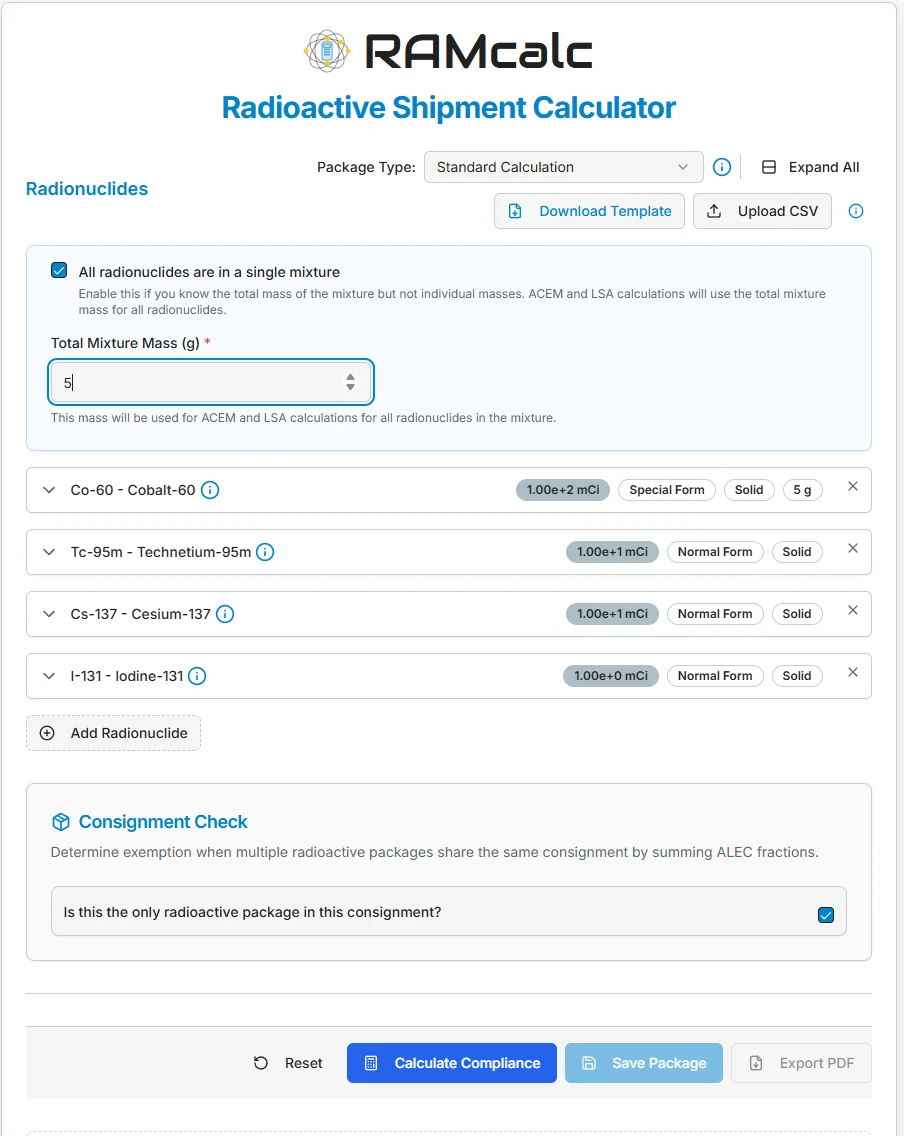
RAMcalc Calculator
Classify your radioactive shipments and generate compliant documentation.
Radioactive Material Shipping Software
RadShip.com is purpose-built software for DOT Class 7 radioactive material shipping compliance — RAMcalc for A1/A2 limits, LabelCalc for Transport Index and labels, a classification engine for UN numbers, and a shipping-paper and BOL generator.
How to Choose a Class 7 Shipping Compliance Tool
A buyer’s checklist for choosing radioactive material shipping compliance software: authoritative activity data, classification, label and Transport Index logic, document generation, air (IATA) support, and audit trails. See how RadShip.com checks every box.
All Compliance Software Articles
Browse the full library on radioactive material shipping software.